Gear Reviews
Hands-on camera, lens, iPhone accessory, lighting, and editing software reviews by Ely Roberts. Browse the latest reviews below, or use the Reviews menu to explore a category.

Samyang RF 85mm F1.4 Review
Samyang RF 85mm F1.4 review with a video overview of the portrait lens, image quality, background blur, handling, and compatibility considerations.
Quick take: The 85mm focal length and f/1.4 aperture are the main draw for portraits. Watch my review for the lens in use, and check the exact model and mount when comparing buying options.
Why this 85mm still has a place in my bag
The Samyang is one of my less-used lenses because I often reach for the GF 80mm on my Fujifilm GFX for portraits. That is about the rest of my kit, not a lack of useful results from the 85mm. I appreciate its light weight, f/1.4 aperture, and background separation for headshots, wedding moments, and portraits.
Rendering and sample photographs in the video
I find its color a little warmer than some of my other lenses, which is easy to adjust when editing RAW files. I like the flare, although direct light can wash out contrast. The video also shows stitched panoramas, where the 85mm perspective and shallow depth of field make a wider final image with a distinctive look.
At f/1.4 the depth of field can be very thin: in one headshot the eyes are sharp while the mouth falls outside focus. Use the video examples to judge that rendering for yourself. Availability was already limited when I recorded the review, so check the exact RF version when comparing listings.

The Samyang RF 85mm F1.4 Lens is a high-quality, short telephoto lens designed for Canon's full-frame mirrorless cameras. With its fast aperture and excellent image quality, it's the perfect choice for photographers who want to capture portraits, events, and action shots with clarity and sharpness. Key Features
- Focal length: 85mm
- Maximum aperture: F1.4
- Image stabilizer: No
Build and Design
- Solid, durable construction
- Metal lens mount with positive click
- Includes lens hood
- Relatively compact and lightweight for easy transport and storage
Image Quality
- Excellent detail and sharpness throughout the aperture range
- Accurate, vibrant colors
- Beautiful bokeh, even at wider apertures
- Well-controlled distortion and chromatic aberrations
Performance
- Fast aperture for excellent low-light performance
- Check the exact AF or MF version when comparing this lens
- Great for portraits and event photography with its short telephoto view
Compatibility
- Compatible with all Canon full-frame mirrorless cameras
- Can be used with a range of accessories, including filters and lens hoods
- Third-party options available
Value for Money
- Offers excellent value for its performance, image quality, and versatility
- A great choice for photographers who want a high-quality, short telephoto lens that offers professional-level results
Conclusion The Samyang RF 85mm F1.4 Lens is a top-quality lens that offers excellent image quality, performance, and versatility. It's a great choice for photographers who want a high-quality, short telephoto lens that can handle a wide range of shooting situations, from portraits to events, and who are willing to invest in a premium product. If you're looking for a fast-aperture, short telephoto lens that offers professional-level results, the Samyang RF 85mm F1.4 Lens is a great option.
Sample Images
Here are some sample images from the last two years.

My Canon Wedding Photography Kit: Cameras, Lenses and Lighting
Inside my early-2023 Canon wedding kit: R5 and R6 bodies, RF lenses, flash, portable lights, bags, and the gear I relied on through two years of weddings.
Quick take: My Canon wedding kit was built around reliable bodies, the RF 28–70mm F2 for most of the day, and a few specialist lenses for portraits, ceremonies, and wider scenes. Lighting, a comfortable harness, and a practical bag mattered just as much as another camera specification.
This is a retrospective of the kit in my early-2023 video, covering my experience from fall 2020 through February 2023. It is not a claim that this is my current kit.
Watch my Canon wedding kit walkthrough
The camera bodies I relied on
The original Canon R6 did a huge amount of work for me. Across two bodies, I photographed weddings in Oregon, elsewhere in the United States, Mexico, and Istanbul. I had delivered 83,778 R6 photographs by the time of this video, and my clients had made large prints from its 20-megapixel files with good results.
The delivery counts I shared also included 28,425 photographs from the R3, 26,550 from the R5, and 3,147 from the EOS R. These are delivered photographs, not shutter counts. I had taken many more images than I delivered.
At the time of recording, I had the R5 and an R6 Mark II arriving the next day. That means this video does not contain a long-term R6 II assessment. You can read my later Canon R6 II wedding review and Canon R3 review for those experiences.
The RF 28–70mm F2 was my everyday work lens
The 28–70mm was easily the most-used lens in this kit: I had delivered 70,667 photographs made with it. I valued its sharpness, autofocus, background separation, and ability to cover changing moments without a lens swap.
It is a large lens, and that weight is part of the decision. For me, the flexibility justified carrying it. The main limitation was the wide end: sometimes 28mm was not enough, so I still carried wider options. See my RF 28–70mm F2 wedding review for sample photographs.
Portraits and ceremonies: 50mm and 70–200mm
The RF 50mm F1.2 was my choice when I wanted stronger subject separation, portraits, or a different feel from the standard zoom. I had delivered 25,841 photographs with it. I liked its sharp center detail and sometimes enjoyed its flare, while noticing changes in color and contrast wide open. Read my RF 50mm F1.2 review.
The RF 70–200mm F2.8 gave me ceremony reach and a way to make distant mountains more prominent through my choice of framing and shooting position. I also used it for stitched panoramas. Its compact size was a major benefit compared with the larger telephoto zooms I had carried before. My delivery count was 14,171 photographs. The 70–200mm review and sample gallery shows more of that work.
Why I also carried a 24–70mm
The RF 24–70mm F2.8 served two purposes. I often supplied it to a second photographer so our equipment and files were easier to work with together. It also gave me the extra width I needed in certain locations.
At Smith Rock, for example, there was a ceremony viewpoint where 24mm let me include the canyon more comfortably than 28mm. That small difference could matter more than the overlap between the two zooms. Read my RF 24–70mm review.
Specialist lenses I used less often
The Samyang 14mm was my occasional ultra-wide option. I preferred carrying a smaller dedicated lens for those situations instead of investing in a larger ultra-wide zoom that I would use less often. I had delivered about 2,400 images with it. My Rokinon RF 14mm review covers the lens sold under the related branding.
The Samyang 85mm F1.4 had produced 6,315 delivered photographs. I used it for portraits and stitched panoramas, while noticing warmer rendering and some sharpness tradeoffs compared with the Canon option I had tried. I used it less once the GFX 100S and GF 80mm became part of my work. See the Samyang 85mm review.
I also owned the RF 35mm F1.8, but it saw very little use. Across the RF lenses, I rarely used the customizable control ring because its position changed from lens to lens.
Reception flash and portable lighting
My Flashpoint/Godox flash handled the reception work I needed. I generally worked around ISO 1000 with low flash power. In the video I describe it keeping up with an R3 burst at very low power; that experience should not be read as a promise of the same performance at higher output.
I also used small RGB lights to add color and atmosphere around a reception, aimed toward walls or the dance floor. For portraits and slower scenes, my Godox ML60bi with an AD-S60S softbox provided portable continuous light with adjustable brightness and color temperature.
Harness, bag, and memory cards
The Clever Supply Co harness with Peak Design anchors felt quieter and lighter than my previous straps. I added a chest strap to help keep it positioned comfortably.
My Tenba bag had useful side pockets, and a BYOB insert helped it retain its shape. Batteries went in the front, with spare wedding timelines and cards kept accessible. I generally tried to work with one camera as much as possible, while keeping the second body available.
I was using Sony Tough SD cards and Angelbird CFexpress Type B cards at the time. For the later transfer-speed comparisons, see my SD and CFexpress card tests.
Original gear links
The Adorama links below are affiliate links from the original video description. I may earn a commission from qualifying purchases. This historical kit list does not assume current prices or availability.
- Camera bodies: Canon R3, Canon R5, Canon R6, and Canon R6 II
- Lenses: RF 28–70mm F2, RF 50mm F1.2, RF 24–70mm F2.8, and RF 70–200mm F2.8
- Lighting: Godox ML60bi
- Cards: Sony Tough 128GB and Sony Tough 256GB
- Bags: Tenba DNA, Tenba Slim, and Tenba BYOB inserts
- Clever Supply Co Anchor Camera Harness
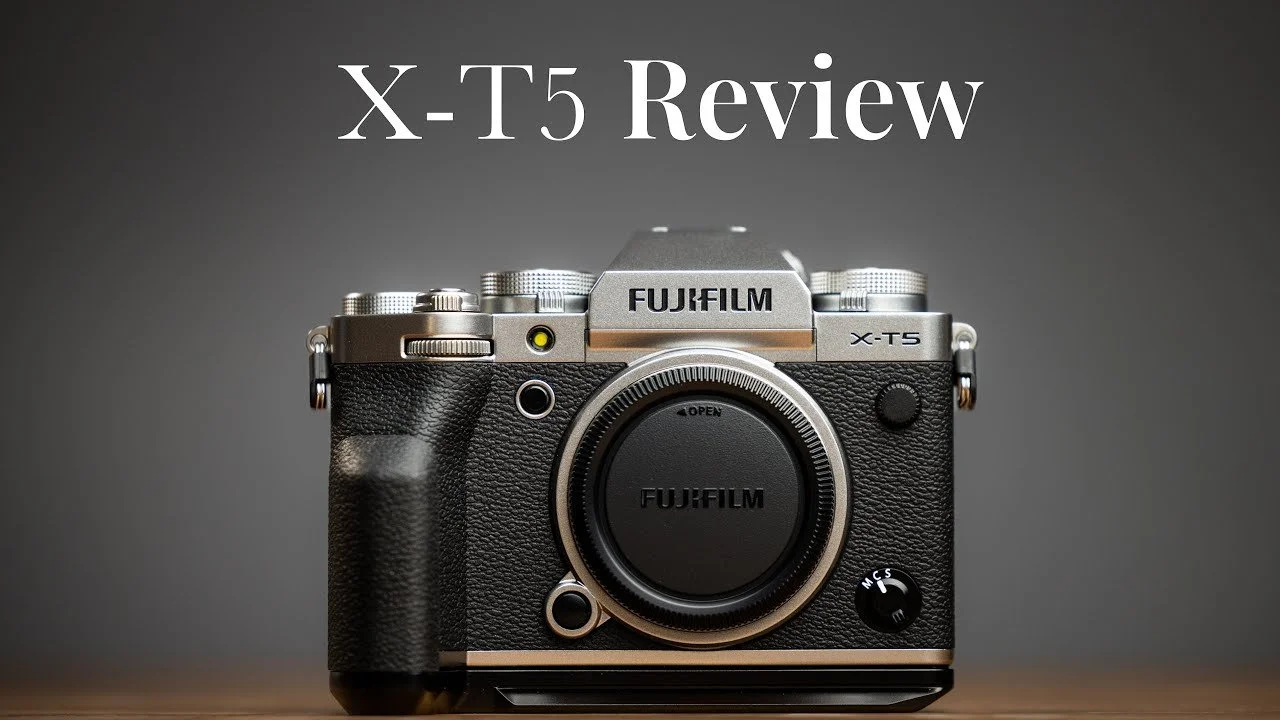
Fujifilm X-T5 Review After One Month
My Fujifilm X-T5 review after a month of family photos and coastal trips, covering lenses, autofocus, high ISO, and comparisons with the R5 and GFX 100S.
Quick take: After a month with the Fujifilm X-T5, I loved its resolution, colors, and character as a personal camera. For my wedding work, I still preferred the familiarity and autofocus control of my Canon system, alongside the image quality of the GFX 100S.
These impressions come from my February 2023 video and the camera setup I used at that time.
Watch my Fujifilm X-T5 one-month review
Why I tried the X-T5
I had spent years photographing weddings with full-frame cameras, so returning to APS-C was a change. During this month I compared the X-T5 with cameras I knew well, including the Canon R5 and Fujifilm GFX 100S. I also photographed ordinary family life and a trip to the Oregon coast.
The X-T5 made a strong first impression. Its 40-megapixel files gave me plenty of detail, and I enjoyed the Fuji colors. The question was less whether it could make good photographs and more whether it filled a useful role alongside the equipment I already owned.
The XF 23mm F1.4 became my main lens
Most of the later examples in the video were made with the Fujifilm XF 23mm F1.4 R LM WR, which gives roughly a 35mm-equivalent field of view. I liked its sharpness, aperture ring, and build. It handled the coastal portraits and everyday photographs well, including images made wide open.
I also tried Sigma lenses and briefly used the Viltrox 13mm. The Sigma options interested me for a smaller budget, while the Viltrox impressed me with its sharpness and distortion control. I did not include Viltrox sample photographs in this video, so the image walkthrough mainly represents my experience with the 23mm.
Handling: enjoyable, with a few controls I bumped
The added grip extension made the camera more comfortable in my hand and was useful on a tripod. I liked the large rear AF button and found the focus-point selector easy to use, although it required a little reach.
I did accidentally move the stills/movie selector and the drive-mode control. I usually left the drive on continuous low, but sometimes found it on another setting. These were handling frustrations from my month of use, rather than reasons to dismiss the camera.
Autofocus control mattered more than a spec sheet
Eye detection worked well in some of my examples, including a surprisingly good result on small toy faces. My frustration was deciding when the camera should prioritize a face and when I wanted a specific focus point.
With my Canon and Sony setups, I was used to choosing a focus point and using an alternate button for eye or face focus. On the X-T5, I assigned the rear AF button to toggle detection, but the workflow felt less direct to me. For a wedding, where I may need to change subjects quickly, that difference mattered.
Image quality and high-ISO examples
The coastal photographs showed plenty of detail, attractive color, and good results from the 23mm lens. In my comparisons, the GFX 100S offered more resolution and a look I preferred, while the X-T5 still produced photographs I was happy with.
I generally felt comfortable with the results up to around ISO 3200 in these examples. At ISO 10000 in firelight, grain and color artifacts became more obvious. I also showed an ISO 25600 image that was surprisingly usable for the conditions. Those are personal judgments about particular photographs, not fixed limits for every subject or output size.
The R5 comparisons showed finer-looking background grain and differences in background blur. The cameras used different lenses, and not every comparison used the same aperture or framing. Treat the video as a practical look at my files, rather than a controlled sensor benchmark.
Would I use it for weddings?
The X-T5 can make professional work. I photographed a tattoo artist with it and liked the images. For my own weddings, though, I was quicker with Canon and appreciated the extra flexibility of the full-frame setup I already knew.
For personal photography, the X-T5 was a fun camera with beautiful files. If it is your main system, you do not need to compare every photograph with full frame to enjoy it. My hesitation was about adding another system to an already full kit.
Gear links and related reviews
The shopping links below are affiliate links from my original video description. I may earn a commission from qualifying purchases.
For another look at the files, read my GFX 100S vs X-T5 image-quality and print tests. For a different approach to a personal camera, see my Leica Q2 review.

Fujifilm GFX 100S Review for Weddings and Portraits
My Fujifilm GFX 100S review after 18 months of weddings, portraits, and family photography: autofocus, high ISO, lenses, and Lightroom workflow.


The GFX 100s is the best camera that I have ever used. For the last year and a half, I have been using the GFX 100s at weddings, engagements, family portrait sessions, and most of my personal life.
👇There are sample images at the bottom👇
Why Use the GFX 100s 📸
I use the GFX for the compressed perspective and color profiles or film simulations.
The GF 80mm gives a field of view similar to a 63mm lens on full frame, while the GF 45mm is close to 35mm equivalent. I enjoy this pairing for portraits and sometimes stitch panoramas when I need a wider view. Perspective depends on camera position; these are field-of-view comparisons.
I use one film simulation as my base, which is ASTIA/soft. I find this base to have an amazing dynamic range accompanied by some beautiful natural tones. Skin looks soft and colors are vibrant. The blues in the shadows really pop. In some cases, I just use a tone curve and in others, I put on the lite variation of my preset. Below you can see some photos of my wife and daughter that are edited with ASTIA/soft and are some of my favorite photos of all time.
When not to use the GFX 100s
I generally have an R5 with a 28-70 on one side and my GFX with 80mm on the other. My R5 is the workhorse and is dedicated to capturing anything that requires a decent autofocus system. When it comes to autofocus the GFX is slow. Although it is slow it is much more accurate the most other medium format bodies, due to it having contrast and phase detection. The GFX also suffers from a short buffer. It’s rare that I’ll photograph multiple frames in a row, but it is short-lived.
File Size @ 102 Megapixels
When photographing in Compressed Lossless RAW most of my images come out to be around 70MB. Which is very manageable. With a maxed-out 16” MacBook pro I have no problem. When I was using the original 13-inch M1 MacBook I did have to wait quite a bit to render smart previews and when exporting. Programs like Narrative Select fly through the images with no problem. In most cases, I will put the images on an external SSD, make smart previews, and then unplug the drive. The only time this really becomes necessary is when I am zooming into images to check focus or retouch in Lightroom. Even if you set LR to default to smart previews when in edit mode it will still try to render the whole image when you zoom. Unplugging the SSD helps me fly through images with no lag. It has become common practice for me with any camera larger than 24 megapixels.
Auto Focus
The Autofocus on the GFX 100s is way better than that of the 50s and horrible when compared to a sony or canon mirrorless. 95% of the time I have the shutter focus off and use an alternate button to set focus so that I don’t find the camera hunting for focus. This method has worked pretty well and I get way more keepers.
High ISO
The high ISO capabilities of this camera are next level. Shooting up to 10,000 ISO is no problem at all. Coupled with the 80mm F/1.7 you can take portraits almost anywhere. This also makes the 45mm F/2.8 much more usable without any added light.
Ergonomics
This camera might be bigger than an R5 or A7IV, but it is small considering the sensor inside. It fits my hand great and the lenses are generally lighter than the body, which makes it a comfortable system. The dials on the camera all feel great, I love lenses with aperture rings. The buttons could be a little more tactile and larger, but I have gotten used to them.
EVF and Screen
I do feel that a higher-resolution viewfinder would help me know when photos are in focus or not. A lot of times I focus and take a photo and find out later that it wasn’t actually in focus. So I do make 3 attempts to focus and take a few photos each time, which takes me back to my DSLR days.
The rear screen is great and I love the three-way tilt.
Summary
This camera has allowed me to push my photos to the next level. Every time I hear that big old shutter go clunk, I know that there’s an amazing image on the other end. I can’t wait to see what successor Fuji has in store for the GFX 100s. I'm hoping to try more GF lenses as well as see what type of EF lenses I adapt.
Here is a random assortment of my favorite photos from the last year and a half.

Fujifilm GFX 100S and X100V Travel Review: Iceland
Ten days in Iceland with the Fujifilm GFX 100S and X100V. Camera and GF lens reviews, autofocus notes, travel handling, and sample photographs.
Quick take: I took the GFX 100S, X100V, and four GF lenses to Iceland in April 2022. The GFX image quality was the highlight; the compact X100V was the camera I could carry when I left the larger bag behind.
Field notes from April 2022. Prices and availability mentioned below reflect the original review period.
10 days in Iceland with Fujifilm

These are my thoughts on the GFX 100s and the x100v cameras from my 10-day tour through Iceland in late April of 2022. Hopefully, this review can help you decide if this camera is for you. In addition, I'll be talking about the four GF lenses that I brought along on the trip. I'll probably be creating a future post on the GFX 100s for weddings review.

About Me
I have been a professional wedding and portrait photographer since 2007 and I have used cameras from Canon, Nikon, Sony, Leica, and now Fujifilm. This trip with my wife was celebrating my 40th Birthday. So, to best celebrate, before my trip, I purchased a GFX 100s with the GF 45mm F2.8 and GF 80mm F1.7. I rented the x100v and GF 23mm f4 from Borrow Lenses, and I also rented the GF 100-200 F5.6 from Lens Rentals. I have always been curious about Fujifilm cameras, but I left APS-C for full-frame cameras several years ago and really didn't want to go back. So when these new larger Fujifilm sensors started to get a real Autofocus system they finally hit my radar.
GFX 100s Review

- Image Quality. The image quality out of this camera is simply the best I've ever used. From the colors to the tones it can capture it's truly amazing.
- Medium Format. The largest notable difference that you will see with a medium format camera is the field of view you get when you photograph things/people up close. Portraits are where you see the number one advantage. Second, when you are trying to capture a large landscape up close with a wider lens, you will get way more in your field of view and see much less lens distortion. I also really like the 4/3 aspect ratio.
- 102 Megapixels. 102 megapixels is amazing for landscape images and very nice to have for portraits. I did face some problems in 2021 with the 13" M1 mac. That particular computer was fast but it still had some issues keeping up in LR with these larger files. I currently have the Maxed out 16" M1 Max and it does just fine. It renders 1.1 and smart previews 10 times faster than the 13" M1. For landscapes, you can never have too many pixels. As for portraits, 102 megapixels is more than enough it does help when you want to create multiple crops. For example, You can take a horizontal image and turn it into a vertical one with no resolution issues. Also, you can create some fun 16:9 images as well, and still print very large.
- Dynamic Range. This camera demonstrates the best dynamic range I've ever seen. I was able to recover up to 4 stops when under-exposed and 2 stops when over-exposed. There is really no need to bracket your exposures unless you have a very intense sunset.
- High ISO. The high ISO image quality is the best I have seen yet. I use the Canon R6 for my day-to-day work, (and have taken over 400,000 images with that camera), and the GFX blows it out of the water. The GFX 50s II is also a great performer in high ISO, but the 100s still win against the 50s II.
- Autofocus. When you compare the GFX 100s autofocus to the Canon R6 or R5 it's pretty darn slow. It falls in line more with a Sony a7 RII or a Canon EOS R. But when you compare it to the GFX 50s II it is amazing. The GFX 50s is solely contrast-detect and loves to hunt to find focus. While the GFX 100s has both contrast and phase detect, it will find focus and stop. the hunting on the GFX 50s II ended up getting pretty annoying.
- Ergonomics. This camera fits my hand like a glove.
- Handling. I feel like Fujifilm wins when it comes to button and dial settings. Every dial doubles as a push-button. This is a genius feature and gives you so much more customization. The rear directional button is a bit laggy, but still works great when you're not in a hurry.
- EVF and Flip Screen. The EVF is fine and has great customization. As for the rear flip screen, it is hands down my favorite rear screen that I've used. It is thought robust and the three-away tilt is a photographer's dream.
- Weight/Size. This camera is pretty darn light for what it is. It barely weighs more than my Canon R6 and it is just slightly larger. I was able to fit everything in the review in my Tenba Shoulder bag.
- Battery life. I was able to photograph a full day of travel with one battery and still have 25-50% left at the end of the day. I left my battery charger at home and just used a USB-C charger from Anker.
- Film Simulations. The film simulations are pretty fun. Although they are only applied to Jpeg and I never rely on a jpeg for work. The real benefit is that you can apply them to your RAW images directly in Lightroom Classic through the Camera Profile Settings. So I set my Jpeg preview to ASTIA/Soft so that I could preview what it would look like when my RAW files reached Lightroom. I was also able to match up the Fujifilm x100v by using the same film simulation. ASTIA/Soft is my favorite for colorful images and it treats skin tones very well.
- 16 Bit RAW Files. I pretty much only photographed on 16-bit. Note 16 bit will only work if you photograph on a single frame. If you switch to multiple frames the camera will bump down to 14 bit. I couldn't tell you that I see a huge difference when editing 16-bit files unless you are pushing the colors in your image. On a 16-bit image, you can pretty much max out the color sliders and then zoom to see that the files hold up super well and still look natural. For reference here are how many levels of colors and tones there are for a (16-bit image 65,536)(14-bit image 16,384)(8-bit image 256) Most images will find their way to an 8-bit image but have a file that will allow you to get your colors where you want them before going 8-bit can make a world of difference.
- Price: Although this camera is a little pricy, there really is nothing like it on the market for under $10,000. At the current time, this camera is just under $6000 and you can see the current price on Amazon HERE. I always suggest watching the amazing used market to save a little.
- Summary. I LOVE this camera. Every time hear that shutter click it makes me smile. I know I'm taking one of the highest resolution images possible. Although the autofocus is a little slower it's still plenty good if you know how you are going to use it. After 10 days with this camera, it's going to be a little hard using my Canon R6.
GF 23mm F4 Review

- 18mm Field of View Equivalent to a full-frame lens. I really enjoyed this field of view and saw very little noticeable distortion. Even when taking portraits of my wife.
- Autofocus. The autofocus on this lens is a bit slow. On continuous, it likes to jump around as if it was just using contrast-detect. I set it to S and used a custom button to set focus with shutter Autofocus turned off. This worked much better and was more consistent.
- Image Quality. This lens is sharp from edge to edge. I loved setting my crop to 16:9 so that I could see what a one image pano would look like.
- Weight. The 23mm has some weight but still feels great when paired with the GFX 100s.
- Price: As of now the GF 23mm is going for $2599. You can check the current price HERE on Amazon.
GF 45mm F2.8 Review

- 35mm Field of View Equivalent to a full-frame lens.
- Autofocus. The autofocus on this lens is the best of the lenses I have used so far. It performs great on continuous AF as well as Single AF.
- Image Quality. This lens is exceptionally sharp at f2.8 and just gets better. For landscape and panoramic photos, I stopped it down to f5.6.
- Weight. This is the lightest of the lenses and my favorite walk-around lens for the GFX system.
- Price. At $1699 I feel like this lens is one of the best value lenses on the system. Another cheaper option that I have played with is the Manual Focus Irix 45mm 1.4. I just found that having a good Autofocus system makes a world of difference for me. You can usually find great used options HERE on Amazon.
GF 80mm F1.7 Review

- 63mm Field of View Equivalent to a full-frame lens. This is hands down my favorite focal length and lens for portraits. It also captures some incredible landscape images.
- Autofocus. The autofocus on this lens is decent. The lens is a little noisy but it definitely focuses well, a I prefer using Single AF for my accurate results when shooting at 1.7.
- Image Quality. I didn't take this less off of 5.6 and it was as sharp as I could ever ask a lens to be.
- Weight. This lens is slightly lighter than most 70-200mm full-frame lenses.
- Price. The 80mm F1.7 is one of the more expensive lenses at $2299, but I feel like it is worth every penny. It is sharp from edge to edge and has very little vignetting. I purchased mine used on Amazon for $1899. So, if you have the time I recommend waiting for a good deal.
GF 100-200mm F5.6 Review

- 79-158mm Field of View Equivalent to a full-frame lens. This is hands down my favorite focal length and lens for portraits. It also captures some incredible landscape images.
- Autofocus. The autofocus on this lens is decent.
- Price. Coming in at $1999 this seems to be a pretty good price to me. Pretty much every 70-200mm lens I've purchased has ranged from $2300-$2700. You can check out the Current Amazon Price HERE.
Fujifilm x100v Review

- Image Quality. The image quality out of the x100v is pretty darn good. I was pretty happy with how sharp this little 23mm f2 lens is.
- APS-C Crop. With a 35mm equivalent field of view, it was fun to compare this camera to the 45mm lens on the GFX system. There is definitely more distortion but it's still a really fun and useful focal length.
- 26 Megapixels. 26 megapixels is plenty for a walk-around everyday camera. I have been very happy with the resolution of the images once on my computer. It's also fun to note that if you use the built-in digital teleconverter that the camera will automatically up the resolution output to 26 megapixels when recorded to the card.
- Dynamic Range. I would say that this camera easily recovers 2-3 stops when under-exposed, which I consider to be pretty good. It's much better when compared to the Leica Q and Leica Q2.
- ISO. The x100v does pretty well up into the 2000 ISO range. Then I would just consider adding in the built-in flash.
- Autofocus. The autofocus on this camera is very good and very reliable. The eye AF is very sticky and won't let you down. When compared to the GFX 100s, it is definitely snappier, but it does fall behind when compared to the Canon R5 or Canon R6.
- Ergonomics/Handling. The only drawback to this camera being so small, it did take me a little bit to train my large hands not to press all the buttons. I found myself moving the front dial quite a bit. The x100v does have some fun retro dials, but I did rely mostly on the front and rear dials to make quick adjustments. The aperture ring is a little slim for my hands but works great once you spend more time with the camera.
- EVF and Flip Screen. The EVF is fun because it gives you the option of full digital or a mostly analog view with a lens overlay. Both settings are fun to use. The rear screen tilts two ways, which is plenty for such a small camera.
- Weight/Size. I still can't believe how small this camera is. It fits in any of my pockets. I was able to keep it on my camera bag for the whole trip in a small accessory pocket. It makes a wonderful everyday camera and I took it out to breakfast and out to dinners when I wanted to leave my bag behind.
- Battery. The battery was always above 50% and I did charge it every night with a USB-C cable. It's nice that you don't need to bring along a charger, and one battery should be enough to get through any day of shooting.
- Film Simulations. The x100v shares enough film simulations with the GFX 100s, so you can match them up to make a synonymous editing workflow. It is always important for me to tell a story with the same style and tones and fuji makes that very easy.
- RAW files. These 14-Bit RAW files are great. I did photograph in Jpeg and RAW but found the RAW files to come out a lot sharper and cleaner in the realm of ISO noise.
- Price. For what this little camera can do, it seems to be a pretty reasonable price. Currently at $1399. You can see the updated price on Amazon HERE.
- Summary. This camera is fun and, although I rented it, I want one. At the time of my trip in April 2022, I couldn't find any for sale. It has been back-ordered for quite a while, so I'll have to wait a little while to get my own.
Other Gear I Used
- Peak Design Carbon Fiber Travel Tripod. This is one of the best tripods I've used in the last 14 years. It is lightweight and quick and easy to use. I've always been a fan of clasp locks vs twist locks since I had a twist lock tripod not lock and fall over. Amazon Price.
- Peak Design Capture Clip. I attached this clip to my Tenba Messanger bag should strap. It was very helpful and shared the same tripod plate as the travel tripod. Amazon Price.
- Peak Design Leash Camera Strap. This is the slim version and it is my favorite strap I've used yet. It is strong, easy to adjust, and most times you don't even notice it's there. I use it for my wedding and portrait work as well. Amazon Price.
- Pixel Oppilas E3 Wireless Remote. This Remote was helpful for taking portraits of my wife and me. I bought the Fujifilm model but it also works with my Canon R6 through the generic remote port. It was a budget option and worked great. Amazon Price.
- Tenba DNA 15 Camera Bag. They no longer make the bag that I used, but there are some great new options. One of my favorite options on their bags is the side pockets that stretch to fit almost anything. I was able to fit all of the gear in this review (minus the tripod) in one bag, which was amazing. Their bags are also very durable and water-resistant. This is probably my next option for a replacement bag. Tenba DNA 16 Pro Messenger Bag
Sample photo gallery


Canon R3 Wedding Review After 50,000 Photos
Canon R3 wedding review after six months and 50,000+ photos: image quality, high ISO, autofocus, ergonomics, and why I decided not to keep it.
Quick take: The R3 impressed me with its image quality, high ISO performance, and ergonomics. After using it for weddings and other assignments, I decided its price, size, and features were not the best match for my workflow.
Why I sold the R3 despite liking the images
The larger grip made big lenses such as the RF 28–70mm easier to handle, but the body also took more room in my bag. I prefer using two matching cameras throughout a wedding season so the controls feel the same in a fast-moving moment. Size, price, and that preference ultimately mattered more to me than the R3’s extra features.
Autofocus and controls in my workflow
Subject tracking was quick and effective, but the focus indicator could feel jumpy. Eye Control AF—the feature that follows where I look in the viewfinder—did not work reliably for me despite repeated calibration. That is separate from the camera detecting a subject’s eyes. I also preferred the joystick to the touch-sensitive AF-ON control.
The electronic-shutter burst choices in my original setup felt awkward for wedding work: 3 fps was slower than I wanted, while 15 and 30 fps created more frames than I needed. These observations reflect the camera and settings during my review period. I remained impressed by the image quality and usable color at ISO 10,000.
Howdy Photographers,
Here are my thoughts on the Canon R3 after 50,000+ Clicks. I've been using it since June for a variety of photography needs, including weddings, elopements, families, portraits, headshots, engagements, and even a music video.
When it comes to the camera itself, the things I really like about the R3 are its focus and high ISO capabilities. However, I do find the autofocus to be a bit jumpy and unpredictable when compared to the R5 and R6. The ergonomics are great and the image quality is amazing. But, I have to say, I wasn't a fan of the new feature of eye focus point tracking. It didn't work for me and I found it to be distracting.
The camera is larger than others I've used, so keep that in mind when considering a camera bag. It's not a lot heavier than the R5 and R6 just larger. The size of the grip does allow you to work more efficiently with bigger lenses like the 28-70mm and the 70-200mm or the 100-500mm, making them more manageable when held by hand. With the R5 and R6, you will start to notice more wrist strain when using larger lenses on a long day. I personally use an L-bracket pinky grip to help with this issue with those two cameras.
Another thing to consider is the number of buttons on the camera. There are tons! Which I do love. I like the front buttons, but I don't generally use them because I don't want to disrupt my muscle memory for the buttons I usually use. Overall, the ergonomics are great, but the size is something to keep in mind.
When it comes to shooting a full wedding season, I generally prefer to have two of the same camera, if not three for my second shooter. This allows me to be more efficient and consistent with my shots. However, I do mix in the GFX 100s for certain shots, but that's a different story. Using two Canon R3 cameras would be a bit too much for me.
In terms of image quality, I've compared the R3 to the Fuji GFX 100s and the Canon R5 and R6 and I can confidently say that it's great. The colors may not be as true as the R5, but they're still fantastic. And while nothing beats the GFX colors and film simulations.
In conclusion, the Canon R3 is a great camera for wedding photography. Its focus and high ISO capabilities are impressive and the ergonomics are great. However, the autofocus can be jumpy and the eye focus tracking feature didn't work for me. Keep in mind that the camera is larger than others and may require a different camera bag. And if you're thinking about shooting a full wedding season, consider having two of the same camera for consistency.
I decided not to keep the camera due to price, size, and features that didn't really suit me.
I sold the camera through Gear Focus and had a positive experience with their community and customer service.

Redefine Success
It All Begins Here
Confidence doesn’t always arrive with a bold entrance. Sometimes, it builds quietly, step by step, as we show up for ourselves day after day. It grows when we choose to try, even when we’re unsure of the outcome. Every time you take action despite self-doubt, you reinforce the belief that you’re capable. Confidence isn’t about having all the answers — it’s about trusting that you can figure it out along the way.
The key to making things happen isn’t waiting for the perfect moment; it’s starting with what you have, where you are. Big goals can feel overwhelming when viewed all at once, but momentum builds through small, consistent action. Whether you’re working toward a personal milestone or a professional dream, progress comes from showing up — not perfectly, but persistently. Action creates clarity, and over time, those steps forward add up to something real.
You don’t need to be fearless to reach your goals, you just need to be willing. Willing to try, willing to learn, and willing to believe that you’re capable of more than you know. The road may not always be smooth, but growth rarely is. What matters most is that you keep going, keep learning, and keep believing in the version of yourself you’re becoming.

Small Steps Create Big Shifts
It All Begins Here
Confidence doesn’t always arrive with a bold entrance. Sometimes, it builds quietly, step by step, as we show up for ourselves day after day. It grows when we choose to try, even when we’re unsure of the outcome. Every time you take action despite self-doubt, you reinforce the belief that you’re capable. Confidence isn’t about having all the answers — it’s about trusting that you can figure it out along the way.
The key to making things happen isn’t waiting for the perfect moment; it’s starting with what you have, where you are. Big goals can feel overwhelming when viewed all at once, but momentum builds through small, consistent action. Whether you’re working toward a personal milestone or a professional dream, progress comes from showing up — not perfectly, but persistently. Action creates clarity, and over time, those steps forward add up to something real.
You don’t need to be fearless to reach your goals, you just need to be willing. Willing to try, willing to learn, and willing to believe that you’re capable of more than you know. The road may not always be smooth, but growth rarely is. What matters most is that you keep going, keep learning, and keep believing in the version of yourself you’re becoming.

Turn Intention Into Action
It All Begins Here
Confidence doesn’t always arrive with a bold entrance. Sometimes, it builds quietly, step by step, as we show up for ourselves day after day. It grows when we choose to try, even when we’re unsure of the outcome. Every time you take action despite self-doubt, you reinforce the belief that you’re capable. Confidence isn’t about having all the answers — it’s about trusting that you can figure it out along the way.
The key to making things happen isn’t waiting for the perfect moment; it’s starting with what you have, where you are. Big goals can feel overwhelming when viewed all at once, but momentum builds through small, consistent action. Whether you’re working toward a personal milestone or a professional dream, progress comes from showing up — not perfectly, but persistently. Action creates clarity, and over time, those steps forward add up to something real.
You don’t need to be fearless to reach your goals, you just need to be willing. Willing to try, willing to learn, and willing to believe that you’re capable of more than you know. The road may not always be smooth, but growth rarely is. What matters most is that you keep going, keep learning, and keep believing in the version of yourself you’re becoming.

Make Room for Growth
It All Begins Here
Confidence doesn’t always arrive with a bold entrance. Sometimes, it builds quietly, step by step, as we show up for ourselves day after day. It grows when we choose to try, even when we’re unsure of the outcome. Every time you take action despite self-doubt, you reinforce the belief that you’re capable. Confidence isn’t about having all the answers — it’s about trusting that you can figure it out along the way.
The key to making things happen isn’t waiting for the perfect moment; it’s starting with what you have, where you are. Big goals can feel overwhelming when viewed all at once, but momentum builds through small, consistent action. Whether you’re working toward a personal milestone or a professional dream, progress comes from showing up — not perfectly, but persistently. Action creates clarity, and over time, those steps forward add up to something real.
You don’t need to be fearless to reach your goals, you just need to be willing. Willing to try, willing to learn, and willing to believe that you’re capable of more than you know. The road may not always be smooth, but growth rarely is. What matters most is that you keep going, keep learning, and keep believing in the version of yourself you’re becoming.